Rivière Extraction
Extract architecture from your codebase using AI + CLI.
Schema version: v1.0
What You'll Learn
- How the 6-step AI + CLI workflow fits together
- What each step produces in
.riviere/ - Where to look when the CLI reports an error or suggests near matches
Extraction Prompts
The extraction process uses 6 step-by-step prompt files. Run each in a separate Claude session:
| Step | Prompt File | Purpose |
|---|---|---|
| 1 | step-1-understand | Analyze codebase structure |
| 2 | step-2-define-components | Create extraction rules |
| 3 | step-3-extract | Add components to graph |
| 4 | step-4-link | Connect components |
| 5 | step-5-enrich | Add state changes and rules |
| 6 | step-6-validate | Check consistency |
See the full extraction guide for usage instructions.
How to Run It
Do not use plan mode. These steps require direct execution, not planning.
# In Claude, execute each step file:
"Execute /path/to/step-1-understand.md"
# Review output, then proceed to next step:
"Execute /path/to/step-2-define-components.md"
# Continue through all 6 steps...Run each step in a separate Claude session. Review output between steps.
For CLI command details, see CLI reference.
Overview
The extraction workflow combines AI analysis with CLI validation. AI excels at understanding code patterns and tracing flows. CLI excels at deterministic ID generation and catching mistakes.
When AI makes errors, CLI provides near-match suggestions. AI self-corrects and continues. This creates reliable extraction without human intervention.
The 6 Steps
Step 1: Understand
What: AI analyzes codebase structure, identifies domains, and documents conventions.
Why: Without understanding the codebase first, extraction produces garbage. AI needs to know where APIs live, how use cases are structured, and what naming conventions exist.
Output: .riviere/step-1-codebase-analysis.md
Step 2: Define
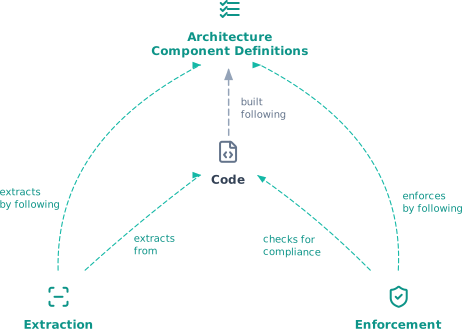
What: AI documents how to identify each component type (API, UseCase, DomainOp, Event, EventHandler) in this specific codebase.
Why: Every codebase is different. Step 2 creates a map from code patterns to component types. This ensures consistent extraction across the entire codebase.
Output: .riviere/step-2-component-definitions.md
Step 3: Extract
What: AI scans code using Step 2 patterns and calls CLI to add each component.
Why: CLI generates deterministic IDs. These IDs are used in all subsequent steps. Getting components right here prevents cascading errors later.
Step 4: Link
What: AI traces flows between components and calls CLI to create links.
Why: Links show how operations flow through the system. Without links, you have a list of components, not an architecture graph.
Step 5: Enrich
What: AI adds state changes and business rules to DomainOp components.
Why: State machines and business rules are the most valuable part of the graph. They show what each operation actually does, not just that it exists.
Step 6: Validate
What: Check consistency, fix orphans, and export the final graph.
Why: Catches dangling references, orphan components, and schema violations before the graph is used. Ensures the output is valid and complete.
Error Recovery
When AI provides incorrect component IDs, CLI responds with suggestions:
Error: Source component not found: "orders:api:postorder"
Did you mean one of these?
- orders:api:api:post/ordersAI reads the suggestion, corrects the command, and continues.
Next Steps
- CLI reference — All commands with parameters and examples
- Graph Structure — Understand components and links